In ERP5 you can create cash register related to an organisations.
Table of Contents
Steps
The procedure goes as follows:
- Go to the organisations module: 'Module' >> 'Organisations'
- Click on financial information tab
- Create a new bank account: 'Action' >> 'Add Cash Register'
- Fill in the informations:
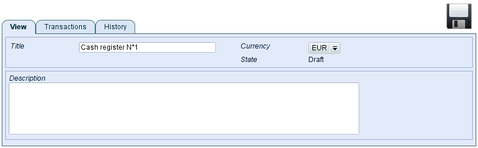
- Save the informations thanks to the floppy disk icon
- Validate the Cash Register: 'Action' >> 'Validate'
- Go back to the financial information tab of the person or organisation thanks to the breadcrumb:
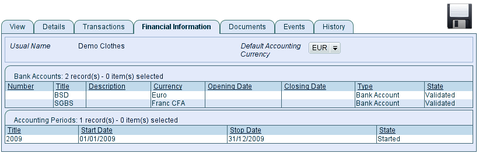
Cash register appears in the list of bank account of the organisation
- Create as many cash register as needed
Related Articles